If your AI agent can log in as you, then as far as the system on the other side is concerned, it is you. That has been the quiet shortcut behind a lot of agent demos: hand over a username and password, let the agent click through the website, and call it automation. This week some of the biggest banks in the US said, in effect, that the shortcut is over.
It is a banking story, but the lesson applies to any business that wants an agent inside its CRM, supplier portals or back office. Here is what happened, and how I set up agent access so nobody hands over a password.
What happened
On 22 October, Axios reported that major US banks are detecting unauthorised third-party AI agents operating inside customer accounts. According to its sources, some of those agents appeared to take actions independent of what the user had asked for. In most cases the agent had the customer's permission and login details, which still breaks most banks' rules that a human must log in to their own account. Axios reported that Morgan Stanley has begun blocking third-party agents, and that JPMorgan, Bank of America and Citi are restricting them. Morgan Stanley's spokesperson said it had not seen "rogue AI agents accessing our platforms". The detail that stood out to me: banks often cannot tell whether an agent's activity was directed by the user at all.
Citi spelled out its position to USA TODAY: "We do not permit third-party AI agents or assistants to log into a customer's account or transact directly within our digital banking platforms." Customers can still give agents limited, read-only access through Citi-approved open banking providers. According to Axios, most banks are heading the same way: agents may look, but not act.
On the same day, 1Password launched 1Password for Agents. When an agent reaches a sign-in page, it asks for a credential, the person approves the request on their own device, and 1Password fills the login straight into the site. The agent never sees the password. Integrations are rolling out for Meta's Muse and others, with Anthropic's Claude Duet and OpenAI's ChatGPT Work listed as coming soon. It comes at no extra cost for Individual and Family accounts on 1Password.com, but accounts on 1Password.eu and 1Password.ca are not supported yet, so check which region your account is on.
Why it matters beyond banking
A shared password tells the system nothing. It cannot show that an agent is involved, which one, or where its permission ends. That is why the banks reached for a blunt block: when every login looks like the customer, the only safe setting is "no".
The same problem sits inside plenty of small businesses, where one admin login is often shared by staff, a browser automation and now an AI assistant. When something changes a price or cancels an order, the audit log just says "admin". You cannot revoke the agent without locking out the people too.
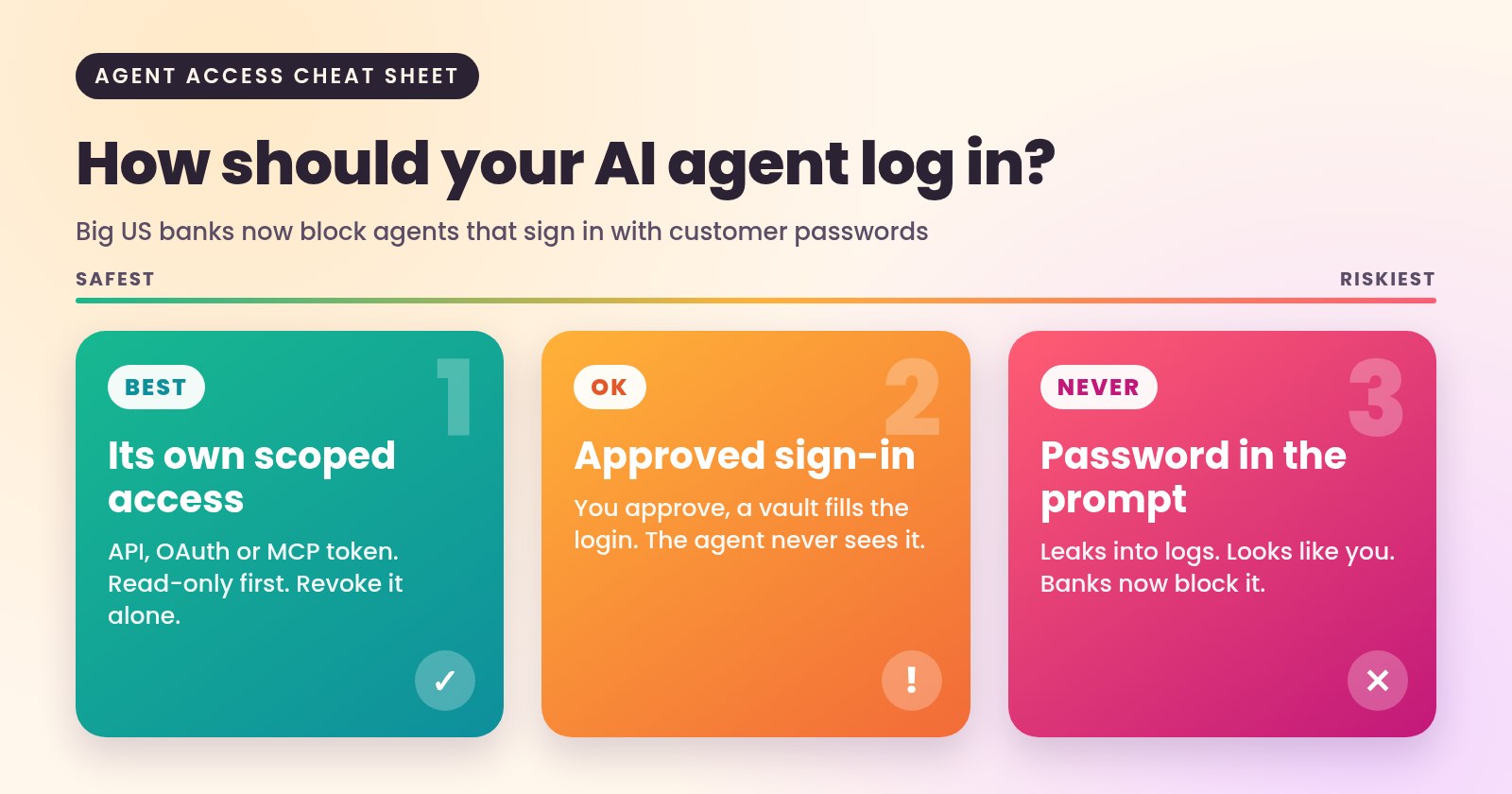
Three ways an agent can get in, from best to worst
- A proper connection with its own scoped access. An official API, OAuth sign-in or an MCP connector, where the agent gets a token limited to specific actions and you can revoke it without touching anyone's password. This is what the banks mean by approved open banking providers.
- Brokered sign-in with approval. When a system has no API and the agent has to use the website, a vault fills the login after a human approves it, as 1Password now does. Better than sharing, but once in, the agent has the account's full rights.
- A password in the prompt or the agent's settings. Never. The secret ends up in logs and chat history, and may breach the site's terms.
I covered how to open write access through connectors in my guide to opening MCP write access safely. This story is one layer below that: before you decide what an agent may write, decide whose identity it is using to get in.
How I set this up for clients
Every agent gets its own identity. It is never a copy of a staff login. It starts read-only, and every write is a separate tool that can be switched on or off. Credentials live in the connector or the server, never in the model's context, so a prompt injection hidden in an email or a web page has nothing to steal. Anything involving money, refunds or deletions waits for a human to confirm, which is a rule on every AI agent and connector project I take on.
My own site follows the same pattern. The agent team behind it gives a customer's AI a read-only MCP endpoint instead of a login, and messages only go out after the visitor confirms. On the platform I lead for a UK repair business, bookings, payments and invoices share one system, and payments are exactly where this separation matters most.
There is a second side to this. Your customers' agents will soon arrive at your login page. If you do not offer them a safe, read-only route, some people will hand their password to an agent anyway, and your system will have no idea who is really acting.
Pitfalls I see again and again
- One "bot" account with admin rights. Quick to set up, impossible to audit.
- Browser automation where an API exists. It breaks when the page changes and usually ignores the site's terms.
- Guardrails written into the prompt. Limits belong in the system the agent cannot change, as I argued in putting guardrails where agents cannot reach them.
- No off switch. If you cannot revoke one agent in a minute without resetting passwords, you are not in control of it.
A quick checklist
- Does each agent have its own identity, separate from staff logins?
- Is it read-only by default, with each write action enabled on purpose?
- Are secrets kept out of prompts, logs and chat history?
- Do payments, refunds and deletions need a human to confirm?
- Does every action log which agent did it and who asked?
- Can you revoke one agent without affecting anyone else?
The banks have drawn the line clearly: look, but do not log in as the customer. I think that is the right default for any business. It does not make agents less useful; it makes them something you can trust with more.
If you want an agent working inside your systems without anyone handing over a password, book a call with me and we will map out which systems it should read, which it may write to, and how it signs in.
 Mubashir HussainForward deployed engineer