For most of the past year, connecting Claude or ChatGPT to a business system meant one thing: the assistant could read. It could look things up, summarise them and answer questions. This week, three separate announcements showed where Model Context Protocol (MCP) connectors are heading next: writing back into real systems, signing in as real people, and running behind a proper gateway. If you run a business or build software for one, this is the moment to plan how you open that door, rather than finding out later that someone already has.
What happened this week
Haystack adds write access across four assistants. On 22 October, the intranet platform Haystack announced that its MCP server now works in ChatGPT, Microsoft Copilot Studio and Slack, joining Claude, where it launched in August. From Monday 26 October it adds write access on all four, so an assistant can draft a knowledge page or write a post for a group the employee can publish to. Each employee signs in with their own Haystack account, the assistant sees only what that person can see, write access is optional, and admins can block individual tools.
Amazon WorkSpaces handles agent sign-in through a managed MCP service. On 20 October, AWS said WorkSpaces for AI agents now manages authentication and desktop connections as part of its managed MCP service. Agents create sessions through OAuth 2.0 with existing AWS credentials, never see the underlying streaming connection, can launch apps through a catalog MCP tool instead of clicking through menus, and run inside the same network isolation and data-loss prevention policies as human staff. You can also query which desktop an agent is on and open a live view of what it is doing.
Red Hat's MCP gateway reaches general availability. On 16 October, Red Hat announced the MCP gateway for OpenShift is generally available in Connectivity Link 1.5, with gateway isolation, MCP guardrails and security hardening. It also serves the older 2025 protocol versions and the new stateless 2026-07-28 version on a single endpoint, so old and new MCP servers can sit side by side.
Why this matters for your business
Read access is low risk: the worst case is a wrong answer. Write access is different. Once an assistant can publish a post, update a record or open an app on a desktop, a mistake becomes an action. The good news is that these launches all point to the same three safety habits:
- Act as the person, not as a super-user. Haystack and AWS both tie the agent to an individual login, so it can only do what that person could already do.
- Let admins switch tools off one by one. Write tools should be optional and individually blockable, not all-or-nothing.
- Put a gateway and a log in the middle. Red Hat's gateway and AWS's session view both make agent traffic visible and governable in one place.
This is exactly the thinking behind my earlier piece on putting guardrails where agents can't reach them: controls belong in the connector and the gateway, not in the prompt.
How I'd open write access, step by step
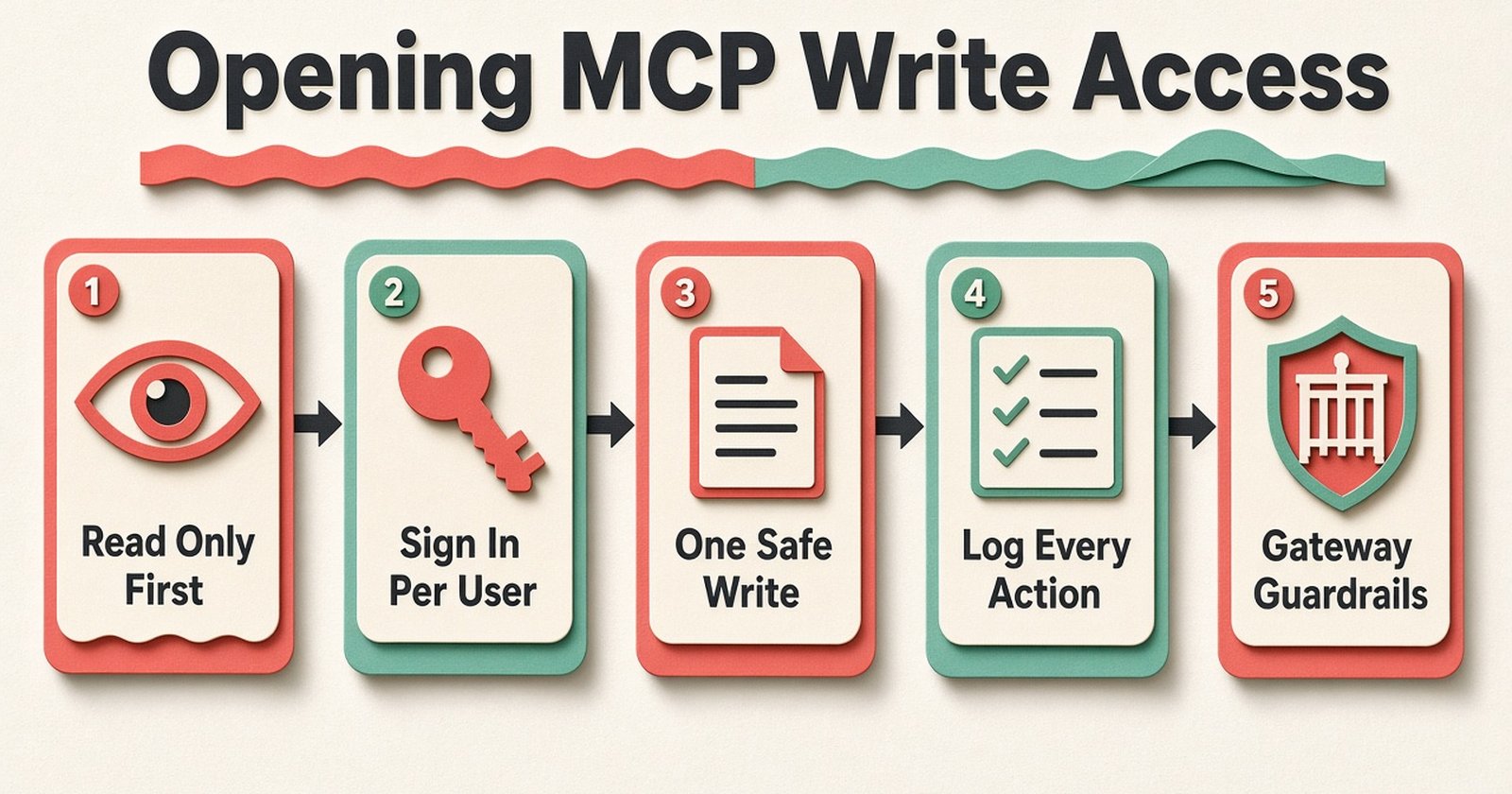
When I build AI agent and MCP connector integrations for clients, I don't switch on writing on day one. This is the order I follow:
- Start read-only for two weeks. Let the team ask questions and watch which answers they actually trust.
- Sign in per user with OAuth. No shared API key with admin rights. If a team member can't edit the price list, neither can their assistant.
- Pick one low-risk write. Saving a draft beats publishing; creating a task beats closing an invoice. Drafts give a human the final click.
- Log every write with who asked for it. Store the request, the tool call and the result, so any change can be traced and undone.
- Add limits before adding tools. Daily caps, allowed record types and an approval step for anything involving money or customers.
- Review weekly, then widen. Only add the next write tool when the log shows the first one behaving.
You can see this pattern running on my own site: the live AI agent demos show every tool call and the exact data that came back, and the agent control room shows real telemetry of how the agent team splits its work. That visibility is not decoration; it is what makes it safe to give an agent more to do.
Pitfalls I see again and again
- One "bot" account with full rights. It is quick to set up and impossible to audit. Every change looks like it came from the same user.
- Write tools hidden inside read tools. Keep "search orders" and "update order" as separate tools so they can be allowed or blocked separately.
- No protocol plan. With the 2026-07-28 MCP version now live alongside the 2025 ones, decide which version your servers speak, or put a gateway in front that handles both.
- Skipping the business owner. The person who owns the process should decide which actions need approval, not only the developer.
For a longer look at how agents fit around existing software rather than replacing it, read building AI agents inside real systems. Real projects like my point-of-sale system for repair shops are where this matters most: stock, payments and customer records are exactly the places you want writes to be careful and traceable.
The short version
MCP connectors are moving from "answer my question" to "do this for me". That's useful, and it's coming whether you plan for it or not. Start read-only, sign in per user, open one write at a time, log everything and put a gateway in the middle.
If you want help planning which of your systems an assistant should read, which it should write to, and where approval belongs, book a short call with me or send me a message about your project. I'll help you map it out before anything goes live.
 Mubashir HussainForward deployed engineer