Every time I put an AI agent in front of a real business, the first fight is not the model. It is the plumbing: Slack, Sentry, Figma, Linear. For months that meant hunting down a Model Context Protocol (MCP) server for each tool, installing it on each laptop, signing in again in each app, and hoping the credentials stayed put.
On 28 October that pattern started to look dated. GitHub put verified MCP connectors into public preview for Copilot, and Google opened a Connected Apps Platform so developers can ship the same kind of connector into Search and Gemini. The idea is simple: connect once, then use the tools where you already work.
What happened
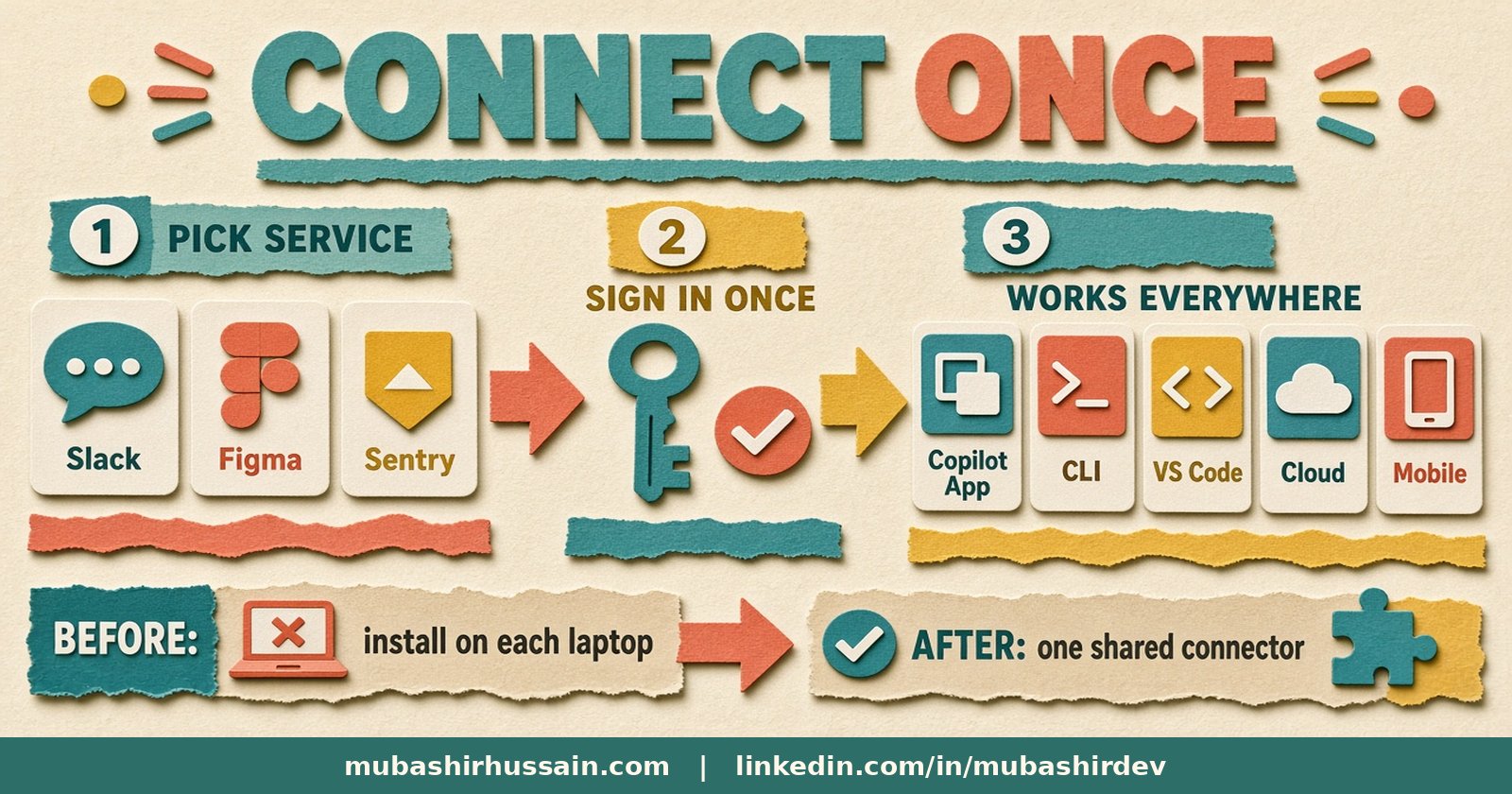
GitHub's changelog post, Connect your tools to Copilot without all the setup, describes GitHub-verified MCP servers (they call them connectors) rolling out in public preview. You pick a service, sign in, and you are done. There is no server to find, nothing to install locally, and no credentials for you to babysit. A connection made in one place works across the GitHub Copilot app, Copilot CLI, VS Code, Copilot in the cloud and GitHub Mobile, with Copilot keeping you signed in in the background.
At launch you can connect 26 services, including Slack, Figma, Notion, Sentry, Linear, Atlassian Rovo, Cloudflare, Vercel and Work IQ. In the Copilot app you open Customize and hit Connect. In the CLI you run /mcp and use the Connectors tab. In VS Code you go through the Agents window into Customizations. On github.com you use the Copilot customization page. Copilot then reaches for a connected service's tools when they are relevant, and in the Copilot app you can also set up scheduled automations that use a connected service.
The preview is available on all Copilot plans, with two admin caveats for Business and Enterprise: an admin must enable the Editor preview features policy, and if the organisation uses an MCP allowlist in managed settings, GitHub-verified MCP servers must be added to it. Some services also need an admin to allow MCP access on their side, such as Slack.
The same day, Google announced a Connected Apps Platform preview for developers who want one place to build and manage apps for Search and the Gemini app. You integrate with a cloud-hosted MCP server or Android MCP through the AppFunctions APIs, then register, test and submit in the Google Connected Console. Before review you choose Search, Gemini, or both. Once live you can track traffic, latency and error rates while keeping control of your brand. Google says more than 50 Connected Apps are already live between Search and Gemini, with partners such as Adobe, Calm and Peloton in the mix, and access opening in phases.
Why it matters
MCP stopped being a hobbyist cable and became a product surface. Verified connectors mean the platform owns discovery, sign-in and distribution. That helps teams who were never going to maintain five local MCP configs. It is also a warning: DIY-only installs will look slow next to a verified list.
It also sharpens a lesson I keep repeating: a connector that can read Slack is useful; one that can post, pay or delete without approval is a liability. Platform connectors make the easy path easier. Keep the dangerous path gated.
How I'd adopt this for a real team
Most of my work is wiring agents into the systems a business already runs. On the team of AI agents on my own website, every tool call is logged and anything that speaks for me still needs a confirmation. I would treat GitHub's connectors the same way.
- Start with read-heavy tools. Slack search, Sentry errors, Notion pages and Linear tickets give an agent useful context without changing production data. Leave write tools off until you have a review path.
- Connect once, then prove it on one machine. Pick Slack or Sentry, connect through the Copilot customization page, and confirm the same session appears in VS Code and the CLI before you roll it out.
- Keep your own MCP servers for systems not on the list. Your booking system, ERP or WhatsApp stack will not appear in those 26 services. That is still private-connector work, with the rules I wrote about in how to open MCP write access safely.
- Annotate every tool as read-only or destructive. At AGNTCon, OpenAI's Thomas Sarlandie said ChatGPT rejects submitted servers unless every tool carries annotations so read-only calls can move fast and destructive ones need confirmation (InfoQ's write-up of the conference). I would do the same on any connector I ship, verified or not.
- Map actions into free, confirm and never. I sketched that split in which AI agent actions should need a human to approve first. Platform convenience does not change which bucket a payment or a customer email belongs in.
Pitfalls I'd watch for
- Shadow installs. Someone still runs an old local MCP server with a personal token while the org connector is live. Kill the local ones once the verified path works.
- Allowlist gaps. Enterprise teams with a managed MCP allowlist will see nothing until an admin adds GitHub-verified servers. Plan that change before you promise the team a magic Connect button.
- Write tools arriving because they are relevant. Copilot will call tools when it thinks they help. Make sure destructive tools are off, or require approval, before you connect them.
- Building for one surface only. Design the MCP surface once and choose Search vs Gemini at submit time, rather than forking the integration.
A short checklist
- List the five tools your agents ask for most (chat, errors, tickets, designs, docs).
- Mark each one: verified connector available, or custom MCP still required.
- For verified ones, connect in one place and confirm it appears in app, CLI and editor.
- Turn write tools off until each action has an approval rule.
- For custom systems, keep a private MCP server with annotations, logs and scoped auth.
- Ask an admin now about Editor preview features and any MCP allowlist.
If you want to see how a controlled agent looks in practice, try the live sample agents on my site. When you are ready to wire Slack, Sentry or your own CRM into an agent the same careful way, that is the CRM, ERP and connector work I do as a forward deployed engineer.
Not sure which of your tools should be a verified connector and which need a private MCP server? Book a free call and we will map it together.
 Mubashir HussainForward deployed engineer